
Are you ready to unlock a world of entertainment with EPIX IPTV and IPTV Smarters Pro? EPIX IPTV offers access to thousands of live TV channels, movies, and premium on-demand content, while IPTV Smarters Pro is a powerful media player designed to bring it all to your fingertips.
To get started, you’ll need to set up IPTV Smarters Pro for EPIX IPTV. This guide will walk you through the process, ensuring a seamless viewing experience. With EPIX IPTV, you can enjoy a wide range of content, and with various subscription plans to choose from, including 1 Month for 20€, 3 Months for 35€, 6 Months for 45€, and 12 Months for 65€.
For any questions or assistance, feel free to contact us at +447723781927.
Key Takeaways
- Learn how to set up IPTV Smarters Pro for EPIX IPTV
- Understand the benefits of using EPIX IPTV
- Explore the various subscription plans available
- Get in touch with our support team for assistance
- Enjoy a seamless viewing experience with IPTV Smarters Pro
Understanding EPIX IPTV and Its Benefits
EPIX IPTV is revolutionizing the way you experience television with its cutting-edge technology and extensive content offerings. As a viewer, you can enjoy a wide range of benefits that enhance your viewing experience.
What Makes EPIX IPTV Stand Out
EPIX IPTV stands out due to its reliable performance worldwide and diverse content, including 4K streams and premium sports channels. This makes it an attractive option for those seeking high-quality entertainment.
Available Content and Channels
The service offers an impressive lineup of international channels and on-demand content, catering to various tastes and preferences. You can access a vast library of movies, TV shows, and live sports events.
Supported Devices and Platforms
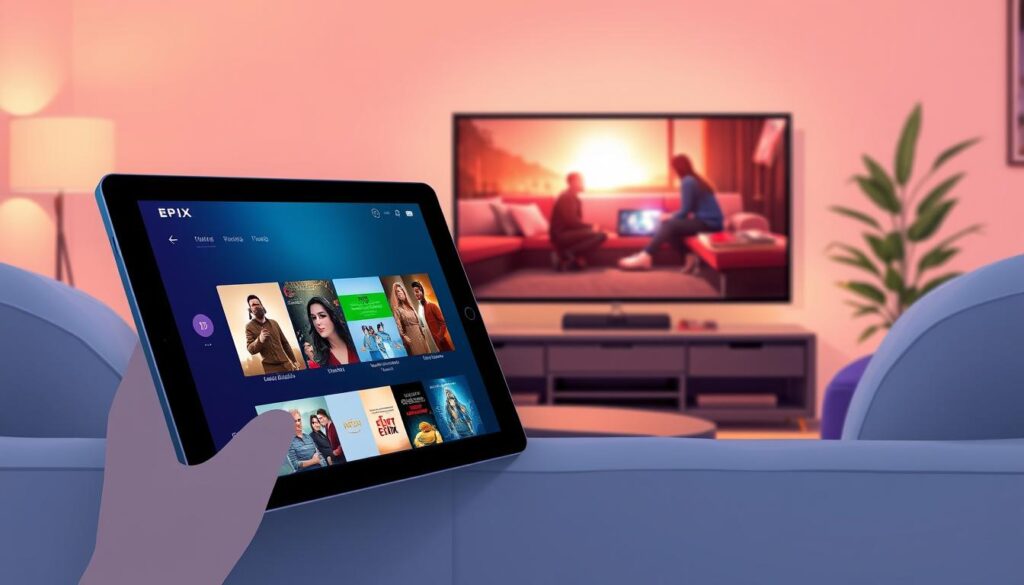
EPIX IPTV is compatible with a range of devices, including smartphones, smart TVs, and streaming boxes. This flexibility allows you to watch your favorite content anywhere, anytime.
| Device | Compatibility |
|---|---|
| Smartphones | Yes |
| Smart TVs | Yes |
| Streaming Boxes | Yes |
By choosing EPIX IPTV, you’re opting for a service that combines quality, reliability, and versatility, making it a great choice for your entertainment needs.
IPTV Smarters Pro Setup Guide for EPIX IPTV Subscriptions
Before diving into the setup process, it’s essential to know what IPTV Smarters Pro offers and its technical requirements. IPTV Smarters Pro is a versatile application designed to stream IPTV content seamlessly across various devices.
What is IPTV Smarters Pro
IPTV Smarters Pro is an advanced media player that allows users to stream live TV, movies, and series directly to their devices. It supports a wide range of IPTV providers, including EPIX IPTV, making it a popular choice among IPTV subscribers.
System Requirements
To run IPTV Smarters Pro smoothly, your device must meet certain system requirements. These include:
- A stable internet connection with a minimum speed of 10 Mbps for HD content.
- Devices running on Android 4.4 or later, iOS 9.0 or later, or compatible smart TV and streaming box operating systems.
- Sufficient storage space for the app installation.
Compatibility with Different Devices
IPTV Smarters Pro is highly compatible with various devices, enhancing its versatility.
Mobile Devices
For mobile users, IPTV Smarters Pro is available on both Android and iOS platforms. You can download the app from the Google Play Store or Apple App Store, depending on your device.
Smart TVs and Streaming Boxes
The app is also compatible with several smart TV brands and streaming devices like Amazon Fire Stick. This allows for a broader viewing experience, catering to different user preferences.
By understanding these requirements and compatibilities, you can ensure a smooth setup process for IPTV Smarters Pro with your EPIX IPTV subscription.
Purchasing Your EPIX IPTV Subscription
Purchasing an EPIX IPTV subscription is a straightforward process that opens up a world of entertainment. EPIX IPTV offers a variety of subscription plans designed to cater to different viewer preferences and budgets.
Available Subscription Plans and Pricing
EPIX IPTV provides several subscription options to choose from:
- 1 Month Plan – 20€
- 3 Months Plan – 35€
- 6 Months Plan – 45€
- 12 Months Plan – 65€
How to Contact EPIX IPTV Support
If you need assistance with your subscription or have any questions, you can contact EPIX IPTV support by calling +447723781927. Their support team is available to help with any queries or issues you may have.
Payment Methods and Process
EPIX IPTV accepts various payment methods, making it convenient for you to purchase or renew your subscription. The payment process is secure and straightforward. Simply choose your preferred plan, select a payment method, and follow the prompts to complete your purchase.
Downloading and Installing IPTV Smarters Pro
The first step in accessing EPIX IPTV’s vast content library is installing IPTV Smarters Pro. This versatile app is compatible with a range of devices, ensuring you can enjoy your favorite channels and shows across different platforms.
Installation on Android Devices
For Android users, the process is straightforward. Simply navigate to the Google Play Store, search for “IPTV Smarters Pro,” and click “Install.” Once downloaded, open the app, and follow the prompts to configure it with your EPIX IPTV subscription details.
Installation on iOS Devices
iOS users can find IPTV Smarters Pro in the Apple App Store. Search for the app, tap “Get,” and wait for the installation to complete. After installation, launch the app and enter your EPIX IPTV credentials to start streaming.
Installation on Smart TVs and Amazon Fire Stick
For Smart TVs and Amazon Fire Stick, the process involves downloading the IPTV Smarters Pro app from their respective stores. On Smart TVs, this typically involves accessing the TV’s app store, searching for IPTV Smarters Pro, and following the on-screen instructions. For Amazon Fire Stick, navigate to the search menu, type “IPTV Smarters Pro,” select the app, and click “Download” or “Get.” After installation, configure the app with your EPIX IPTV subscription.
| Device | Installation Steps |
|---|---|
| Android | Google Play Store > Search “IPTV Smarters Pro” > Install |
| iOS | Apple App Store > Search “IPTV Smarters Pro” > Get |
| Smart TV | TV App Store > Search “IPTV Smarters Pro” > Install |
| Amazon Fire Stick | Search Menu > “IPTV Smarters Pro” > Download/Get |
By following these steps, you can easily install IPTV Smarters Pro on your preferred device and start enjoying EPIX IPTV’s extensive range of channels and content.
Activating Your EPIX IPTV Subscription
To start enjoying EPIX IPTV, you need to activate your subscription within IPTV Smarters Pro. Activation involves entering your subscription credentials, including the URL, username, and password, into the app.
Understanding Your Subscription Credentials
Your EPIX IPTV subscription credentials are crucial for accessing the service. These typically include a URL, username, and password provided by EPIX IPTV upon subscription. It’s essential to keep these details secure to prevent unauthorized access.
Activation Process Step-by-Step
Activating your EPIX IPTV subscription on IPTV Smarters Pro is straightforward. Follow these steps:
Adding Your EPIX IPTV URL
First, you’ll need to add your EPIX IPTV URL to IPTV Smarters Pro. This URL is provided by your IPTV service provider and is necessary for accessing your IPTV content.
Entering Username and Password
After adding the URL, you’ll be prompted to enter your username and password. These are unique to your subscription and ensure that only you can access your IPTV service.
| Step | Description |
|---|---|
| 1 | Add EPIX IPTV URL |
| 2 | Enter Username |
| 3 | Enter Password |
Verifying Successful Activation
Once you’ve entered your credentials, verify that your subscription is active. You should see a list of available channels and content. If you encounter any issues, check your credentials or contact EPIX IPTV support.
With your EPIX IPTV subscription activated on IPTV Smarters Pro, you’re ready to enjoy a wide range of channels and on-demand content. Ensure your app is updated and your internet connection is stable for the best viewing experience.
Configuring IPTV Smarters Pro for Optimal Performance
Optimizing IPTV Smarters Pro involves tweaking its settings to ensure smooth and high-quality streaming. To achieve this, you need to configure the app’s settings according to your device and network capabilities.
Basic Settings Configuration
Start by accessing the app’s settings menu. Here, you can adjust the video quality to match your internet bandwidth. If you have a stable and fast connection, select a higher quality for a better viewing experience.
Advanced Settings for Power Users
For advanced users, IPTV Smarters Pro offers additional settings that can be tweaked for optimal performance. You can adjust the buffer size and player settings to suit your specific needs.
Optimizing Streaming Quality
To optimize streaming quality, ensure that your device is connected to a stable network. You can also adjust the app’s streaming protocol settings to prioritize quality or stability, depending on your preference.
Network Settings for Stable Playback
For stable playback, configure your network settings to prioritize the IPTV Smarters Pro app. This may involve setting up Quality of Service (QoS) rules on your router to ensure that the app receives sufficient bandwidth.
By following these steps, you can configure IPTV Smarters Pro for optimal performance, ensuring a seamless and enjoyable IPTV experience.
Navigating the IPTV Smarters Pro Interface
Navigating the IPTV Smarters Pro app is straightforward, thanks to its user-friendly design and comprehensive features. The interface is designed to provide easy access to various functions, making it simple to enjoy your EPIX IPTV subscription.
Understanding the Main Menu
The main menu is the central hub of the IPTV Smarters Pro app. Here, you can access different sections such as live TV, VOD (Video on Demand), and your account settings. The menu is intuitive, allowing you to navigate through the various options with ease.
Accessing Live TV Channels
To access live TV channels, simply navigate to the “Live TV” section from the main menu. Here, you’ll find a list of available channels, organized by category or genre. You can browse through the channels and select one to start watching.
Using the VOD and Series Features
The VOD feature allows you to watch content on demand, including movies, TV shows, and more. The series feature helps you keep track of your favorite shows and receive recommendations based on your viewing history.
Managing Favorites and Recently Watched
You can manage your favorite channels and content by adding them to a favorites list. The “Recently Watched” section keeps track of the content you’ve viewed, making it easy to continue watching from where you left off.
By understanding and utilizing these features, you can enhance your viewing experience with IPTV Smarters Pro and EPIX IPTV.
Setting Up IPTV Smarters Pro on Multiple Devices
With IPTV Smarters Pro, you can easily install and manage the app on multiple devices, enhancing your EPIX IPTV viewing experience across different platforms.
Managing Multiple Device Installations
You can install IPTV Smarters Pro on various devices, including smartphones, tablets, smart TVs, and streaming devices like Amazon Fire Stick. To manage multiple installations, simply download and install the app on each device, then log in with your EPIX IPTV subscription credentials.
- Download the IPTV Smarters Pro app from the respective app store on your device.
- Install the app and launch it.
- Log in using your EPIX IPTV username and password.
Synchronizing Favorites Across Devices
One of the convenient features of IPTV Smarters Pro is the ability to synchronize your favorite channels and VOD content across multiple devices. To achieve this, ensure that you are logged in with the same account credentials on all devices.
Tip: Regularly update your favorites list to keep it synchronized across all your devices.
Device-Specific Optimization Tips
Different devices may require specific optimizations for the best viewing experience. For example, on smart TVs, you might need to adjust the buffer settings for smoother playback, while on mobile devices, adjusting the stream quality can help conserve data.
Simultaneous Streaming Limitations
EPIX IPTV subscriptions may have limitations on the number of simultaneous streams allowed. Check your subscription plan to understand these limits and plan your viewing accordingly to avoid access issues.
- Review your EPIX IPTV subscription plan details.
- Understand the simultaneous streaming limit.
- Plan your viewing across devices within the allowed limit.
Troubleshooting Common IPTV Smarters Pro Issues
Troubleshooting IPTV Smarters Pro can resolve common problems and enhance your viewing experience. IPTV Smarters Pro is a robust platform, but like any technology, it’s not immune to occasional issues.
Connection Problems and Solutions
Connection issues can stem from various sources, including internet connectivity problems or server overload. To troubleshoot, first check your internet connection. Ensure it’s stable and meets the minimum speed requirements for IPTV streaming. If the issue persists, try restarting the app or your device.
Playback Issues and Buffering Fixes
Playback issues, such as buffering or freezing, can often be resolved by adjusting your streaming settings within IPTV Smarters Pro. Lowering the video quality can help if your internet connection is not sufficiently fast. Additionally, ensure that your device’s software is up to date.
Login and Authentication Errors
Login issues typically arise from incorrect credentials or subscription problems. Double-check your username and password, and ensure your subscription is active. If you’re still having trouble, contact EPIX IPTV support for assistance.
Updating and Reinstalling the App
Keeping IPTV Smarters Pro updated is crucial for optimal performance. Check your device’s app store for updates. If issues persist, consider reinstalling the app to start with a clean slate.
Contacting EPIX IPTV Support
If you’ve tried the above troubleshooting steps and still encounter issues, it’s time to contact EPIX IPTV support. You can reach them at +447723781927 for personalized assistance. Their support team is available to help resolve any technical difficulties you’re experiencing.
Enhancing Your EPIX IPTV Experience
Enhancing your EPIX IPTV experience is easier than you think with IPTV Smarters Pro. This powerful media player is designed to provide a seamless viewing experience, and with a few tweaks, you can unlock its full potential.
Using External Players with IPTV Smarters Pro
One way to enhance your viewing experience is by using external players with IPTV Smarters Pro. This allows you to leverage the strengths of different media players, such as improved video quality or additional features.
Setting Up EPG (Electronic Program Guide)
Configuring the EPG is another crucial step. The EPG provides a comprehensive schedule of upcoming programs, making it easier to plan your viewing. To set up EPG, navigate to the settings menu, select “EPG,” and enter your provider’s EPG URL.
Recording and Timeshift Features
IPTV Smarters Pro also offers recording and timeshift features, allowing you to record live TV or pause and rewind live broadcasts. To access these features, ensure you have a stable internet connection and sufficient storage.
Parental Controls and Content Filtering
For households with children, setting up parental controls is essential. IPTV Smarters Pro allows you to restrict access to certain channels or content based on ratings or categories, ensuring a safe viewing environment.
| Feature | Description | Benefit |
|---|---|---|
| External Players | Use alternative media players | Improved video quality or additional features |
| EPG Setup | Configure Electronic Program Guide | Easy access to program schedules |
| Recording/Timeshift | Record live TV or pause/rewind | Flexibility in viewing live broadcasts |
| Parental Controls | Restrict access to content | Safe viewing environment for children |
Conclusion
You have now completed the essential steps to set up IPTV Smarters Pro for your EPIX IPTV subscriptions. By following this iptv smarters pro setup guide, you have successfully installed, activated, and configured the application to enjoy a seamless streaming experience.
With your EPIX IPTV subscriptions, you can access a wide range of channels and content. To ensure optimal performance, revisit the configuration settings and adjust them as needed. This will help you make the most out of your iptv smarters pro setup guide and epix iptv subscriptions.
Should you encounter any issues, refer to the troubleshooting section or contact EPIX IPTV support for assistance. By maintaining your IPTV Smarters Pro application and staying updated with the latest configurations, you can enjoy uninterrupted streaming services.